setup guide
EasyEffects: the setup that makes every app hear a clean mic
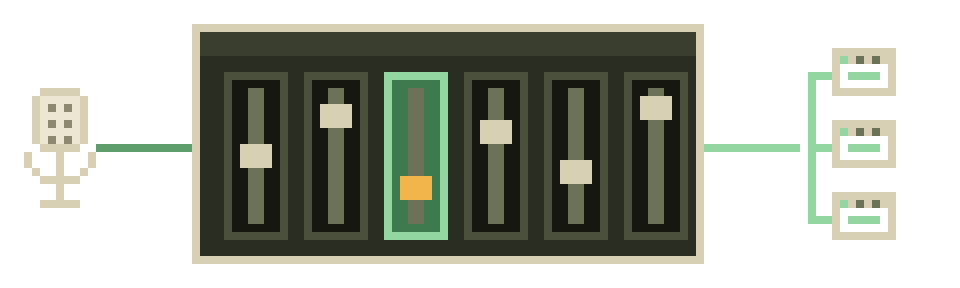
EasyEffects is the answer we give more often than any other on this site, and the reason is almost boring: it is a maintained GTK application, it is in your distro's repositories, and it puts a RNNoise-based noise reduction effect into your microphone pipeline in about four clicks. Once it's configured, it is invisible. Every program on the machine — browser, calling app, recorder, terminal-based toy — simply receives audio with the fan, the hum and the keyboard already gone. No virtual device to remember to select, no toggle to flip before a call.
Maintenance status, since that's how we choose things
Note the version spread across distros — it matters for this page. Arch and Flathub carry 8.2.9; Debian stable is back on the 7.2.x series. Both work for noise reduction, but the interface was reorganised during the 7-to-8 transition, so if your window doesn't look like the steps below, check your version before assuming you've broken something.
Install
Pick whichever line matches your distro. Flatpak is the way to get the newest build on a conservative distro, and it's the route we'd suggest to anyone on Debian stable:
~$ # Arch / Manjaro / EndeavourOS
~$ sudo pacman -S easyeffects

~$ # Debian / Ubuntu / Mint / Pop!_OS
~$ sudo apt install easyeffects

~$ # Fedora
~$ sudo dnf install easyeffects

~$ # Any distro, newest build (recommended on Debian stable)
~$ flatpak install flathub com.github.wwmm.easyeffects
Longer per-distro notes, including the RPM Fusion and universe-repository wrinkles, live on our install-by-distro page.
The four steps that actually matter
- Open EasyEffects and switch to the input side. The application has two halves — Output (what you hear) and Input (what your microphone sends). Noise on calls is an input problem, and the single most common mistake we see is a beautifully built effects chain applied to the output tab, where it does precisely nothing for the people listening to you.
- Add the Noise Reduction effect. Use the button that adds an effect to the pipeline, pick Noise reduction, and it drops into the chain. The upstream project's own documentation names RNNoise as the basis of this effect, which is why it behaves exactly like the rest of the stack.
- Talk, and watch it work. Make some noise near the mic — shuffle papers, run a fan, type. The level meters keep moving; the noise stops arriving. If you want to hear the difference rather than read it, enable the built-in monitoring briefly, with headphones on. Never without headphones, unless you enjoy feedback.
- Save it as a preset and autoload it. This is the step that converts a toy into infrastructure. Save the current chain as a named preset, then use the autoloading option to bind that preset to your specific microphone device. From then on, plugging that mic in loads the chain automatically, forever, without you opening the app.
That last step is the whole reason we prefer EasyEffects to one-button tools: once the preset autoloads, the friction is zero and the daily UX is nothing at all. There is no device to select in your calling app, because your real microphone is already clean by the time any app sees it.
- your microphoneraw, fan and keys included
- EasyEffects · Input tabNoise reduction effect (RNNoise), preset autoloaded for this mic
- every app on the machinebrowser · calling app · recorder · terminal-based toy
Output tab = what you hear. A chain built there does nothing for the people listening to you.
The second engine: Deep noise remover
EasyEffects ships a heavier alternative alongside RNNoise — a Deep noise remover effect built on DeepFilterNet, which the project lists as a dependency. It's the tool to reach for when your noise isn't a steady drone: clattering dishes, a washing machine cycling, traffic with sirens in it, a mechanical keyboard hammered mid-sentence. RNNoise's small model handles stationary noise superbly and erratic noise unevenly; DeepFilterNet was designed for the messier case and costs more CPU for it.
Our honest note on it: the upstream DeepFilterNet project's last tagged release is v0.5.6 from 2023-08-31, so the model itself is slow-moving, even though the EasyEffects integration around it is current. That's not alarming for a finished model — it's the same situation as RNNoise, which also moves slowly — but you deserve to know which parts of your stack are frozen and which are being worked on. Use one engine or the other, never both stacked, for the reasons on our RNNoise page.
Two settings people get wrong
- Suppression strength, cranked. Every knob in this niche is a trade between noise removed and voice damaged. Turn it up until noise is inaudible and you will hear your own consonants get chewed — the watery, underwater quality people blame on their microphone. Back off until the room is merely quiet rather than absent.
- A gate stacked on top of suppression. Adding a gate and noise reduction and a compressor is a popular recipe from elsewhere on the internet. The gate chops your quiet syllables; the compressor then lifts what's left of the room. Start with noise reduction alone for a week and only add more if you can name what it's fixing.
When EasyEffects is the wrong tool
Three honest cases. If you're on genuinely legacy PulseAudio, it won't run at all. If you want a headless, GUI-free, dotfile-versionable setup — a server, a tiling-WM purist's laptop — the filter-chain does the same job with a config file and no user-session application. And if the noise is already inside a file you recorded last week, no live processor helps; that's a job for ffmpeg or SoX.
Troubleshooting, shortest useful version
If apps still hear noise, work down this list: confirm the effect is on the Input tab; confirm the app is using the same physical mic that the preset autoloads for; confirm no second suppressor is running (your browser and your calling app both have their own, and they fight); then check your input levels, because a clipping mic distorts before any model gets a look at it. In our experience that last one explains more "the AI doesn't work" complaints than any software bug.